QR menu · Ordering · Tips · Reviews
The guest is already at your table. Help them order more.
POSMI turns your restaurant's menu into a digital card that opens from a QR: photos, combos, recommendations and ordering right from the table. No app, no sign-up, no waiting for the waiter.
- No app for guests
- Live in one afternoon
- Paid via MercadoPago
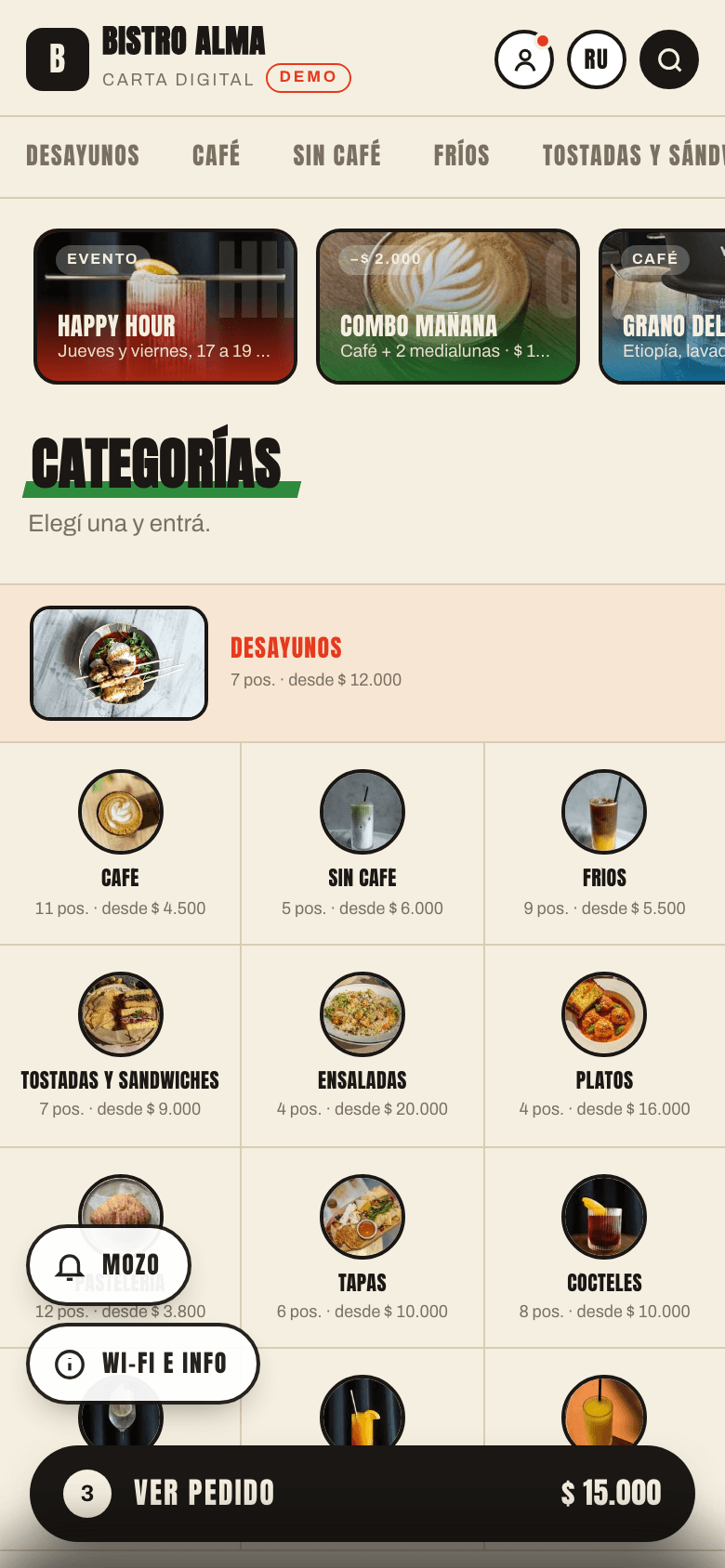
Scan with your phone — it's a real menu
Restaurants already ordering with POSMI
Three things that cost you money every day
The paper menu is outdated the day it's printed
A price changed, a dish ran out, the winter menu arrived… reprint again. With POSMI you change it in the panel and guests see it instantly.
Waiters don't have time to recommend
At peak hour nobody suggests the dessert or the wine. The digital menu does it on every order, and never gets tired.
Guests wait to place an order
The first ten minutes decide how much a guest will spend. If they have to hunt for a waiter, they order less.
QR menu
A menu that shows, explains and sells
Not a PDF hanging off a QR code. A living menu, designed so guests understand every dish and feel confident ordering more.
Dish cards that make you hungry
Photo gallery, ingredients, calories, portion size and labels: spicy, vegan, gluten-free, lactose-free.
- Several photos per dish
- Composition and nutrition facts
- Dietary and marketing labels
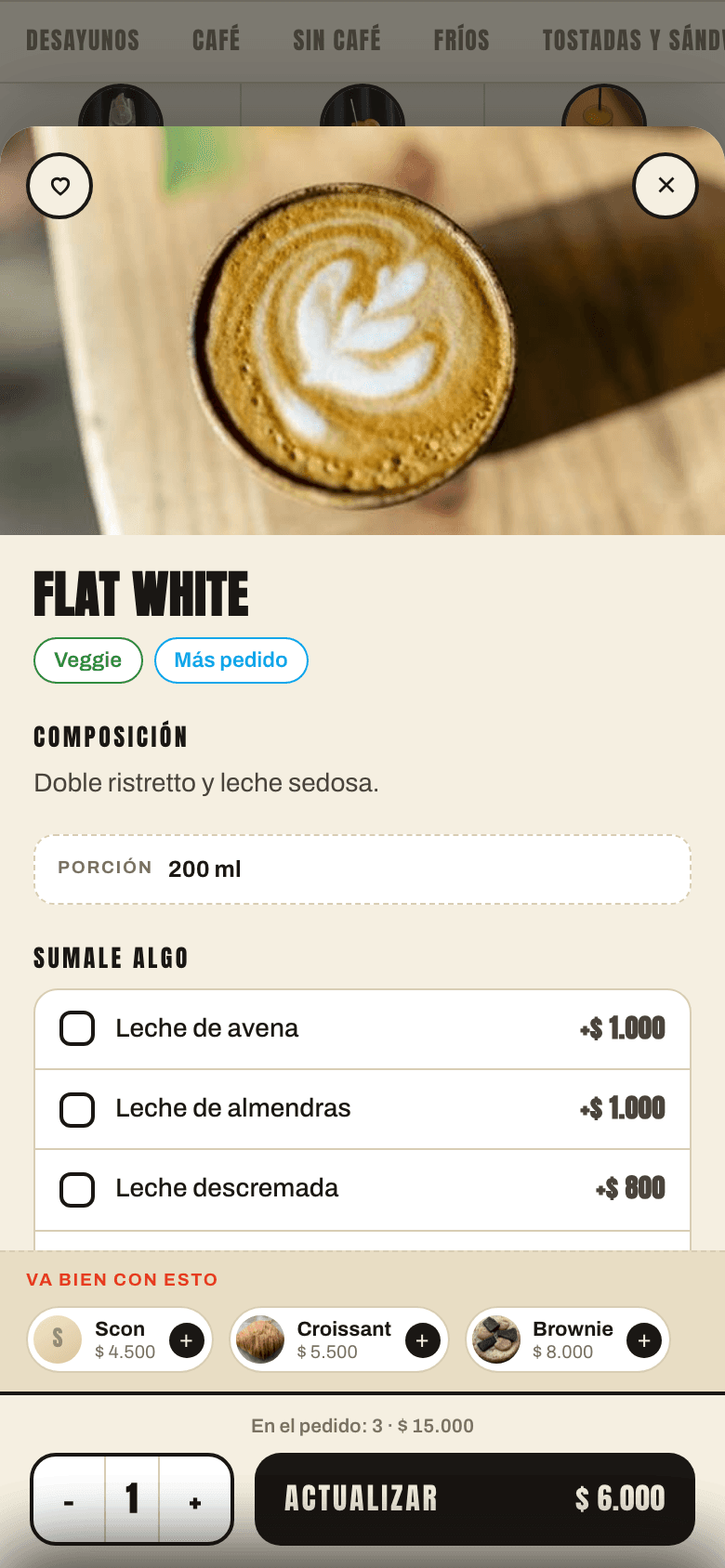
Automatic recommendations and combos
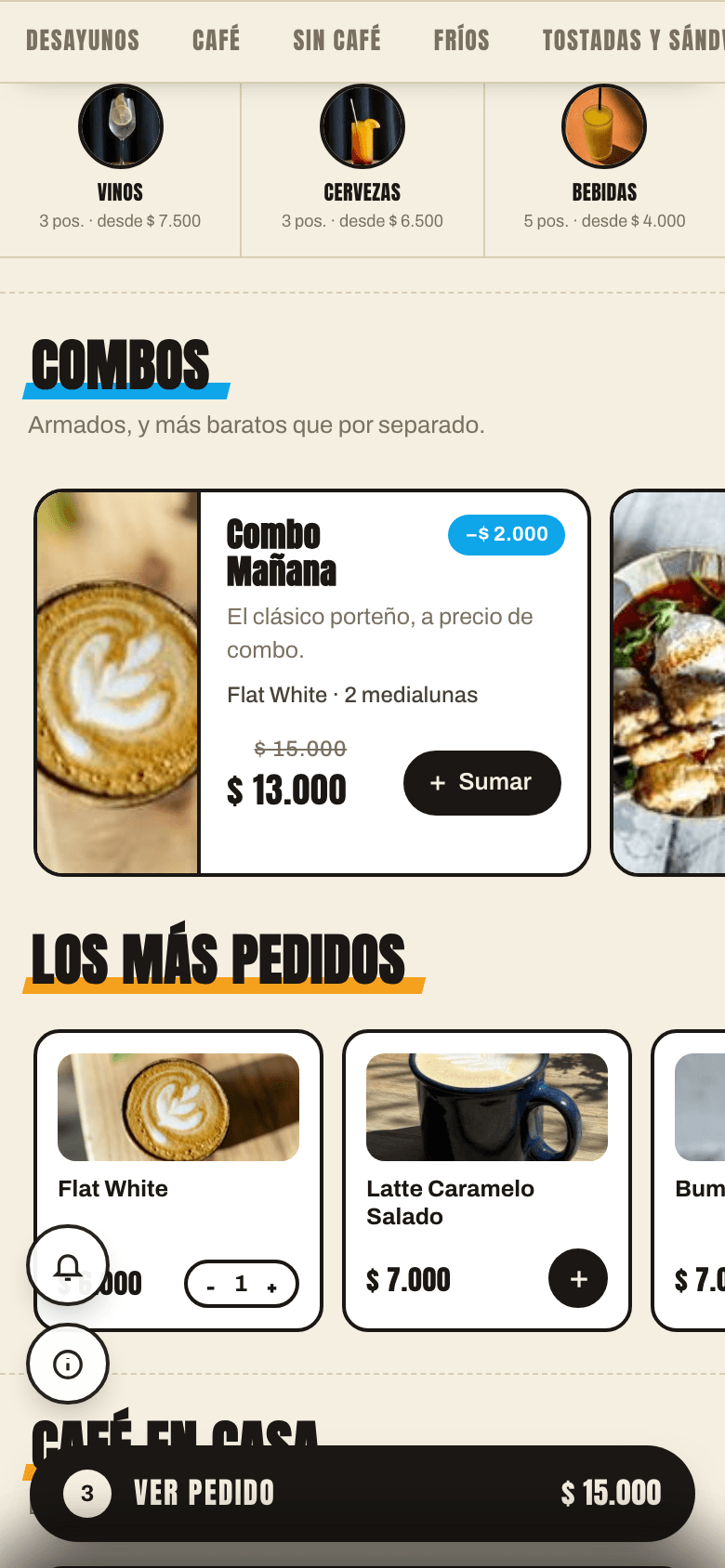
"Goes well with…" on the card and "We also recommend" in the cart. Combos with the saving in plain sight: "you save $3,500".
- Upsell on 100% of orders
- Your curated list + best sellers
- Combos at a special price
Order from the table, no app
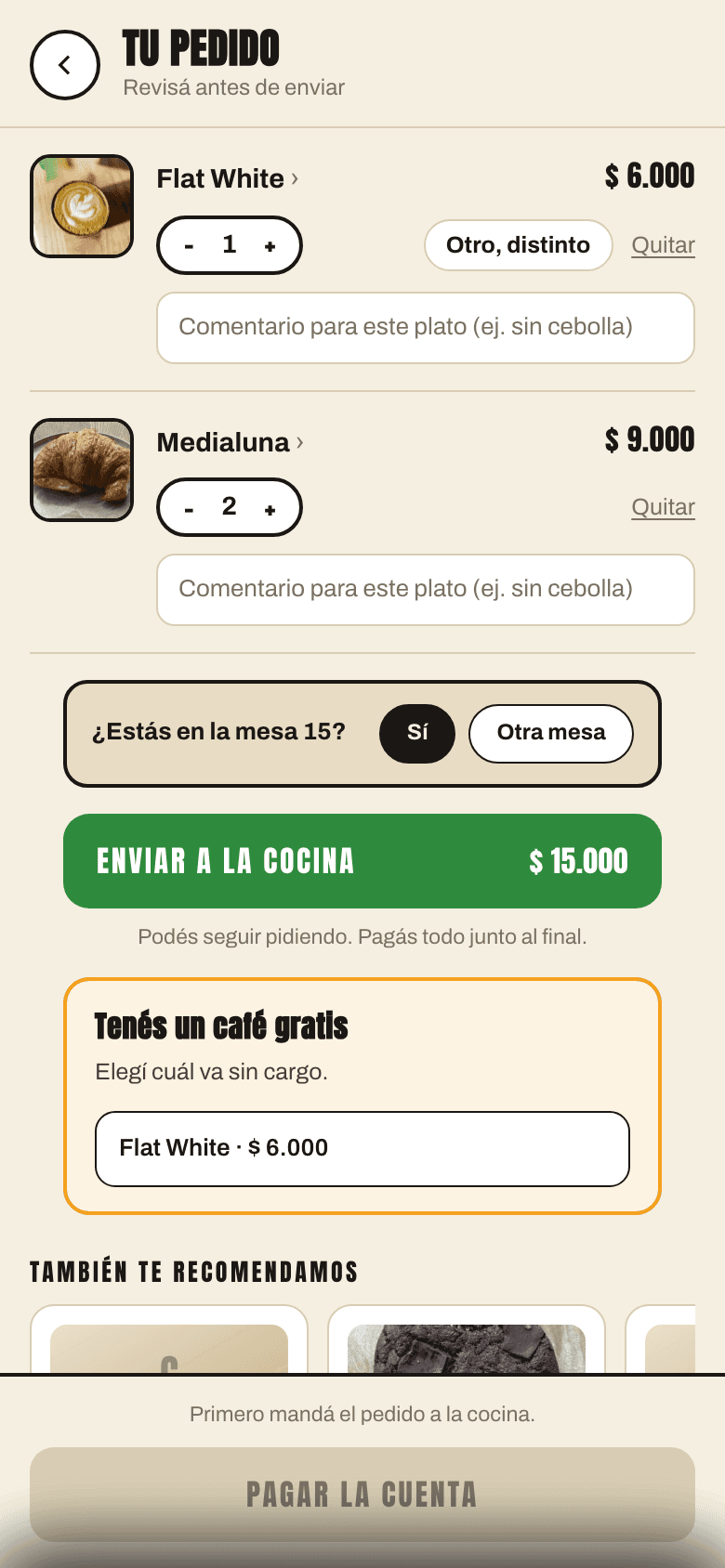
The QR already knows which table the guest is at. They choose, add a note ("no onion") and send it to the kitchen. Dine-in, pickup or delivery.
- Table detected automatically
- A note for every dish
- Kitchen display (KDS) with statuses
Search, filters and favorites
Search by name or ingredient, filter by labels, mark favorites. The menu remembers what each guest liked.
- Search by ingredients
- Filters: vegetarian, spicy, gluten-free…
- Favorites and history without an account
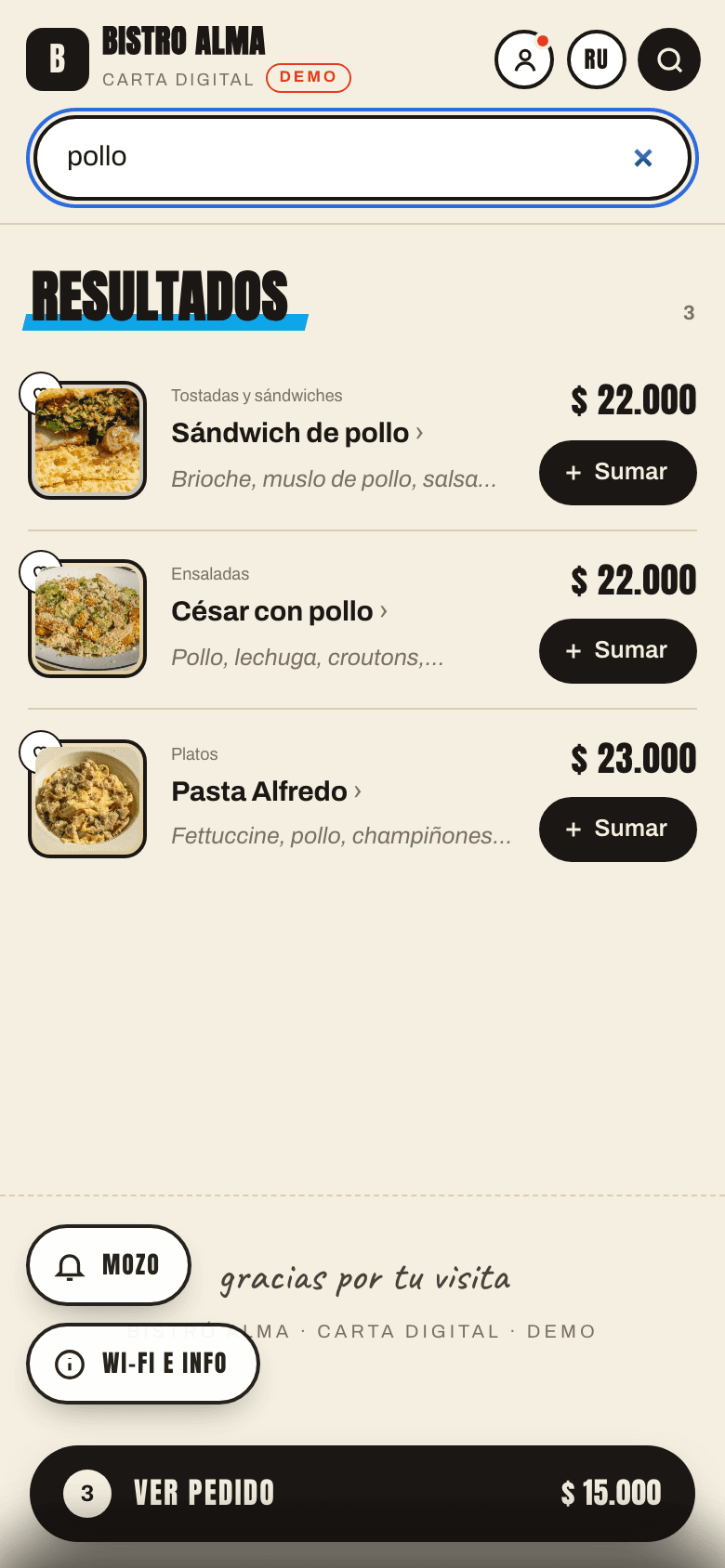
Schedules that run themselves
Breakfast, lunch specials, happy hour: each section appears and disappears on time, without anyone touching a thing.
- Time windows by day and hour
- Hide, move to the end or lock
- Stop-list per branch
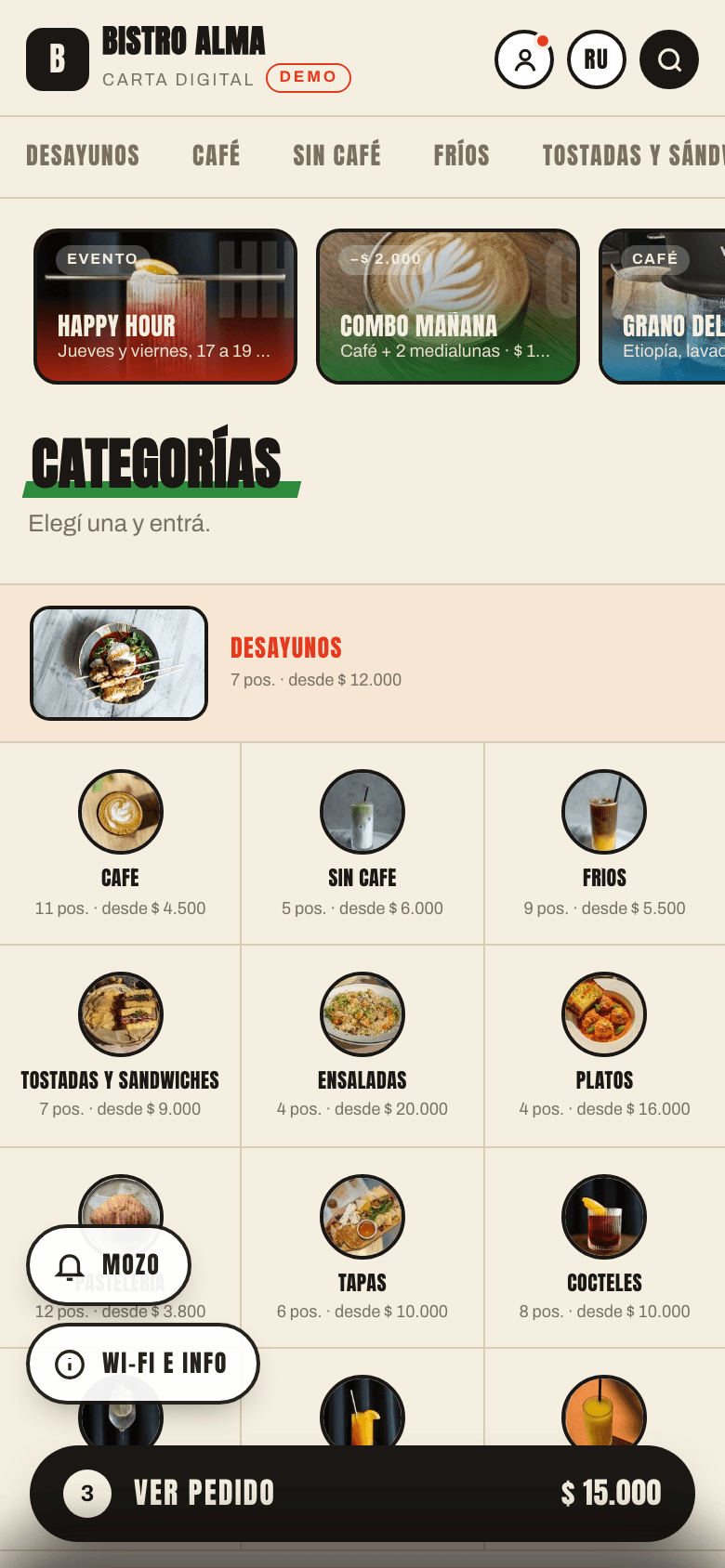
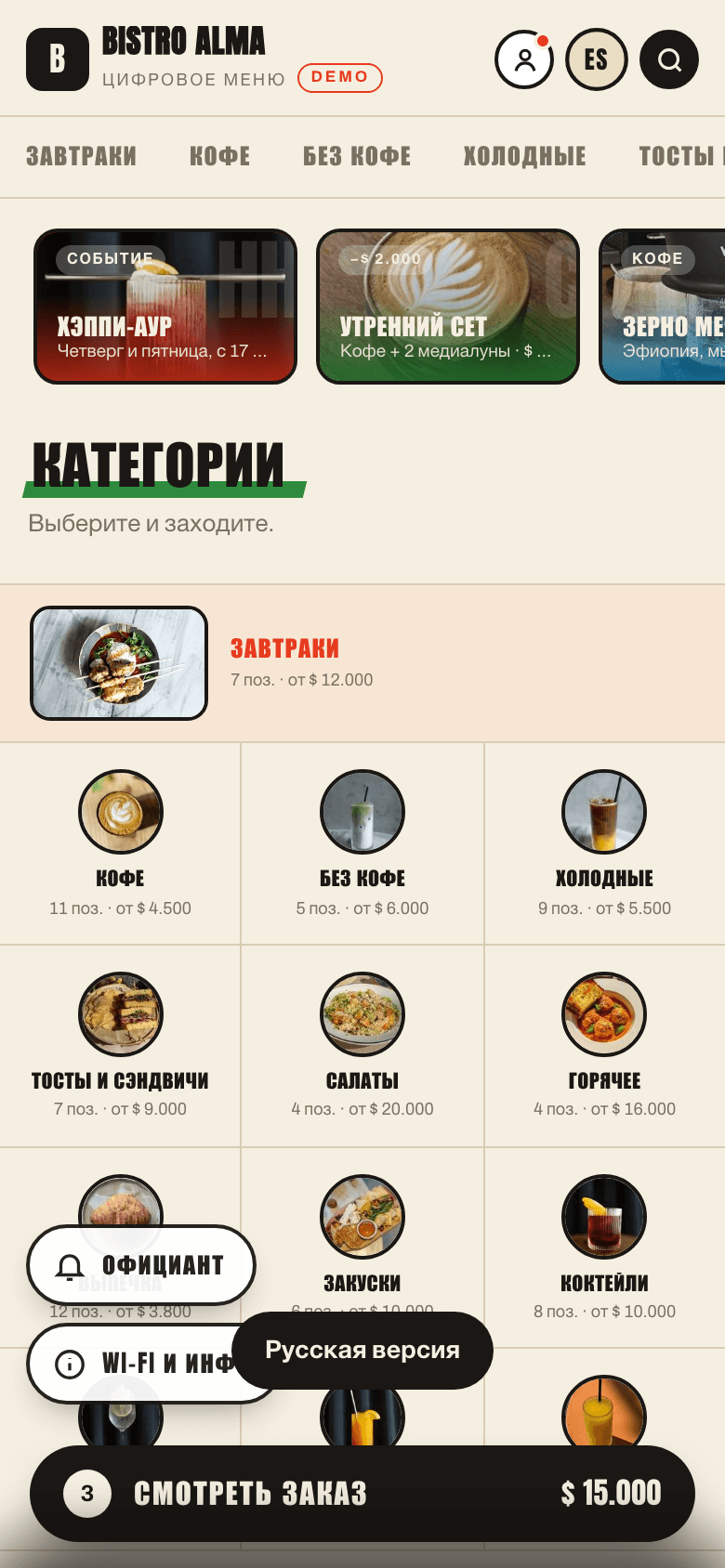
In the guest's language
Spanish, English, Portuguese, Russian… Tourists read the menu in their language and order without pointing.
- Translations per dish and section
- Switch language in one tap
- Local currency and formats
Live demo
Try it the way your guest sees it
This is a real menu built with POSMI. Tap dishes, build an order, check the combos. On your phone, open it by scanning the QR.
Scan with your phone — it's a real menu
Open full screenHow it works
From zero to menu in one afternoon
- 01
Register your restaurant
Leave your details, we get in touch and activate your account. No card, no contract.
- 02
Upload your menu
Dishes, photos, prices, sections. Import from your current menu — we help with the initial upload.
- 03
Print the QR codes
One QR per table, ready to print. Guests scan, order and leave tips.
For your team
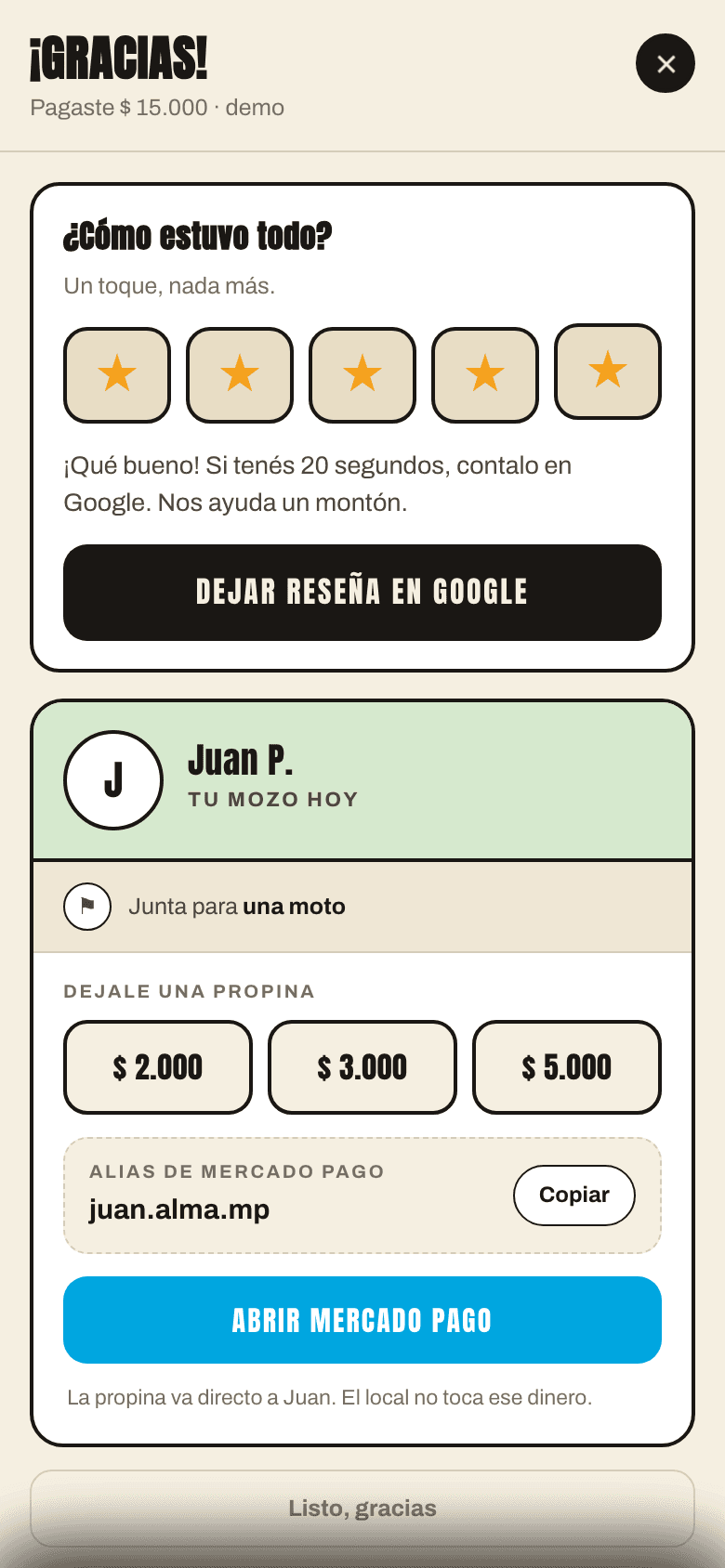
Cashless tips and reviews that work in your favor
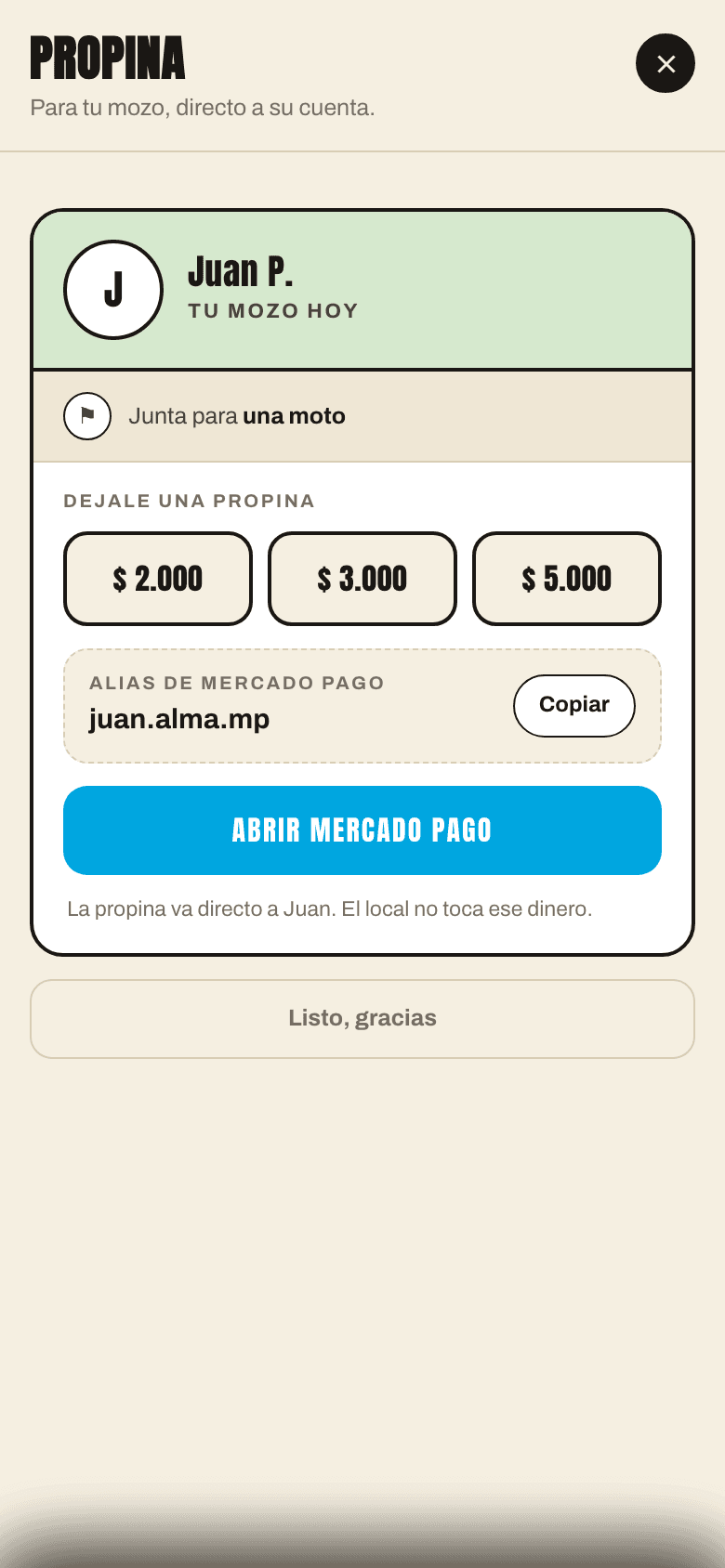
Tips via MercadoPago
Every waiter gets a personal tip link: fixed amounts or free input. Guests say thanks in two taps, the money goes straight to the waiter's account.
Reviews with a smart filter
Happy guests are sent to leave a review on Google Maps. Guests who had a problem tell you privately, before writing it in public.
For the owner
The whole restaurant in one panel
Branches
One menu, different prices and availability per location.
Analytics
Scans per table, best-selling dishes, by date and branch.
Your brand
Logo, colors, fonts and your own domain.
Google finds you
The menu is indexed with prices and photos for Google and Google Maps.
Roles and permissions
Owner, manager, kitchen, waiter — everyone sees their part.
Marketing
Promos, discounts, loyalty, events and reservations.
One platform instead of five
Stop paying for and managing scattered tools.
- QR menu generator
- Tipping app
- Review widget
- Loyalty card
- Promo tool
POSMI: menu, ordering, tips, reviews and marketing in one place.
Who POSMI is for
Cafés
Breakfast and lunch menus that switch on their own by the hour.
Restaurants
Full dish cards, pairings and combos that raise the check.
Bars and breweries
Ordering from the table when the bar is slammed.
Chains
One menu, several branches, each with its own stop-list and prices.
Pricing
Start free, grow when you're ready
No lock-in. Your guests' payments go straight to your MercadoPago account.
Free
Forever
Your QR menu online today.
- QR menu with photos and dish cards
- Labels, search and filters
- Multiple languages
- 1 branch
- No ordering from the table
Pro
per month
All of POSMI, flat fee.
- Everything in Free
- Table ordering and kitchen display (KDS)
- Tips and reviews
- Combos, recommendations and analytics
- Unlimited branches and your own domain
Partner
of sales through the app
Everything in Pro, no flat fee. Pay only when you sell.
- Everything in Pro
- No monthly fee
- 1% on orders placed through POSMI
- Ideal for a risk-free start
Frequently asked questions
Do guests need to install an app?
No. They scan the QR and the menu opens in the phone's browser, like a web page. No downloads, no sign-up.
How much does it cost to start?
Nothing. The Free plan includes the full QR menu. Paid plans add ordering, tips, reviews and analytics.
Where does the money from orders and tips go?
Straight to your MercadoPago account (and tips to the waiter's). POSMI never holds your money.
Can I use my own domain?
Yes. Your menu can live at menu.yourrestaurant.com or any domain you like.
I have several branches
Perfect. One menu with different prices, availability, tables and analytics per branch.
How long until it's ready?
With the menu uploaded, one afternoon. We help with the initial upload of dishes and photos.
Sign up
Register your restaurant
Leave your details and we'll message you on WhatsApp to activate your account. Free, no commitment.
Message us on WhatsAppPOSMI
Your QR menu can be online today
Register for free, upload your menu and start selling more from the very first table.
Register my restaurant