QR code menu for restaurants: a guide to setting one up in an afternoon
There’s a long way between “a PDF on Google Drive” and a menu that sells. What to choose, how to build it in an afternoon and which mistakes to avoid.
A QR code menu for restaurants is the menu guests open by scanning a code on the table with their phone camera, no app required. But there’s a long way between “a PDF on Google Drive” and a menu that actually sells.
PDF QR menu vs interactive menu
| PDF behind a QR | Interactive menu | |
|---|---|---|
| Changing a price | Redesign and re-upload | From your phone in a minute |
| Reading on a phone | Pinch-zoom and side-scroll | Built for small screens |
| Photos and filters (vegan, gluten-free) | None or very limited | On every dish |
| Languages | One PDF per language | Switcher in the same menu |
| Ordering from the table | No | Yes, depending on the platform |
| Metrics | None | Scans, orders, top dishes |
A PDF is a stopgap. If you’re spending an afternoon on it, go interactive: when prices change often, editing from your phone is not a small thing.
How to set up a QR menu in one afternoon
- 01
Gather the menu
Dishes with prices, a line or two of description and allergens.
- 02
Photograph the best sellers
Start with your top 10 dishes; a phone and window light are enough.
- 03
Keep sections short
Starters, mains, grill, desserts, drinks. Put what you most want to sell at the top.
- 04
One QR per table
So you know which table each order comes from and which scan most.
- 05
Test before opening
Scan every code with two different phones, on mobile data, without Wi-Fi.
For the photos, see how to shoot food photos on your phone. And keep two or three paper menus for anyone who asks: the QR adds an option, it doesn’t push anyone out.
POSMI
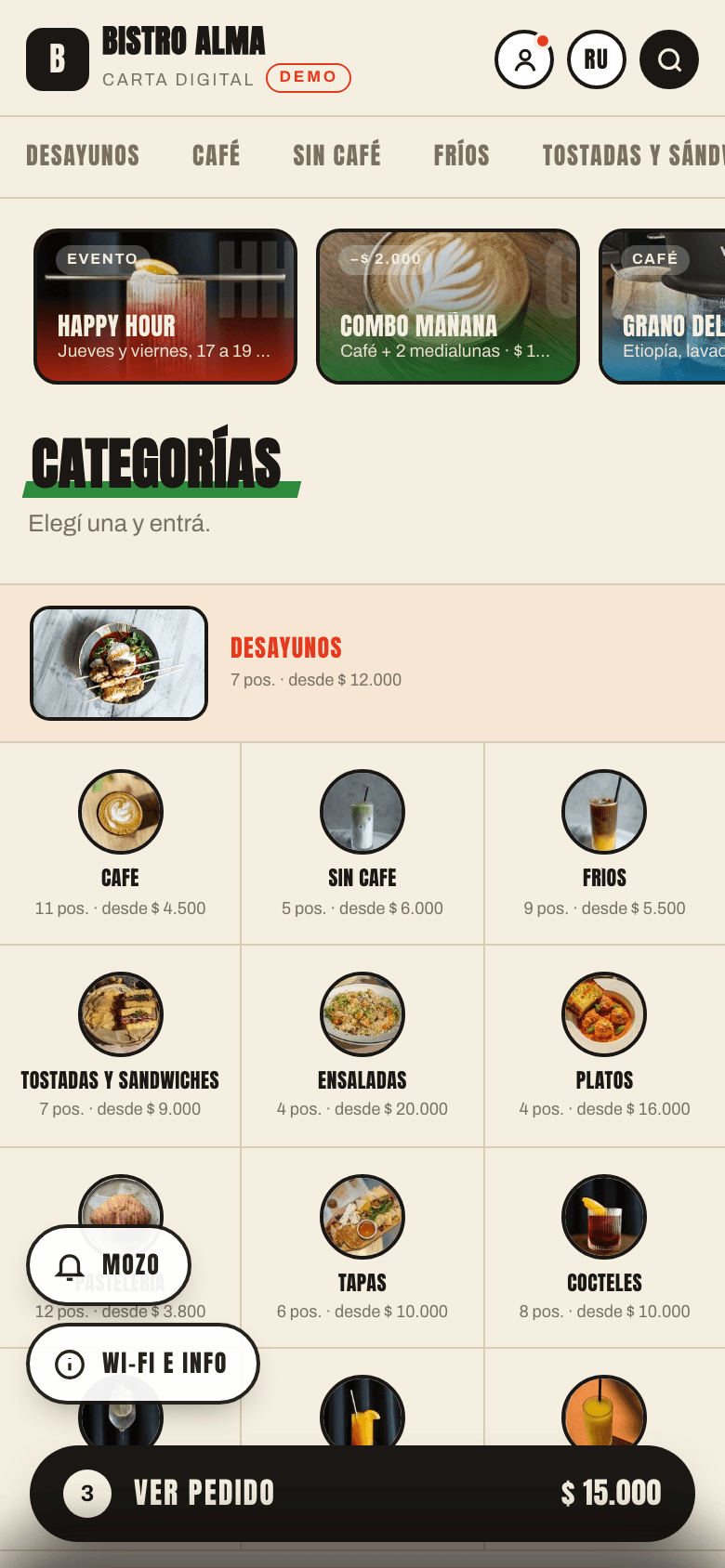
What guests see
The menu home shows sections with photos: one tap and they’re browsing dishes.
- No app to download
- Search by name and ingredients
- Prices always up to date
Common QR menu mistakes
- Tiny or glossy codes: under 3 cm, or glossy lamination under a lamp, and the camera won’t focus. Go matte.
- Heavy PDFs: 10 MB on mobile data in a basement bar is a blank screen.
- Links that break: if the QR points to a page you later change, every printed code dies.
- Sold-out dishes still showing: the guest chooses, the server says “we’re out”. Mark them sold out right away.
- One code at the door: seated guests never see it. Put one on every table.
What to track after launching your QR menu
The hidden advantage of an interactive menu is data. Check once a week:
- Scans per table: if one barely scans, check the code; it may be covered or worn.
- Top-ordered dishes: the ones that never sell deserve a new photo, description or spot on the menu.
- Average check for orders placed through the menu.
With that data you can move dishes, swap photos and add suggestions. Where to go next: how to increase your average check.
Does a QR menu need Wi-Fi?
No, it works on mobile data. That’s why a lightweight menu beats a heavy PDF.
How much does a QR code menu for restaurants cost?
There are free and paid options. In POSMI the menu, ordering and basic analytics are free; add-on modules come with a free first month (pricing).
- #QR menu
- #menu design
- #analytics
- #upselling